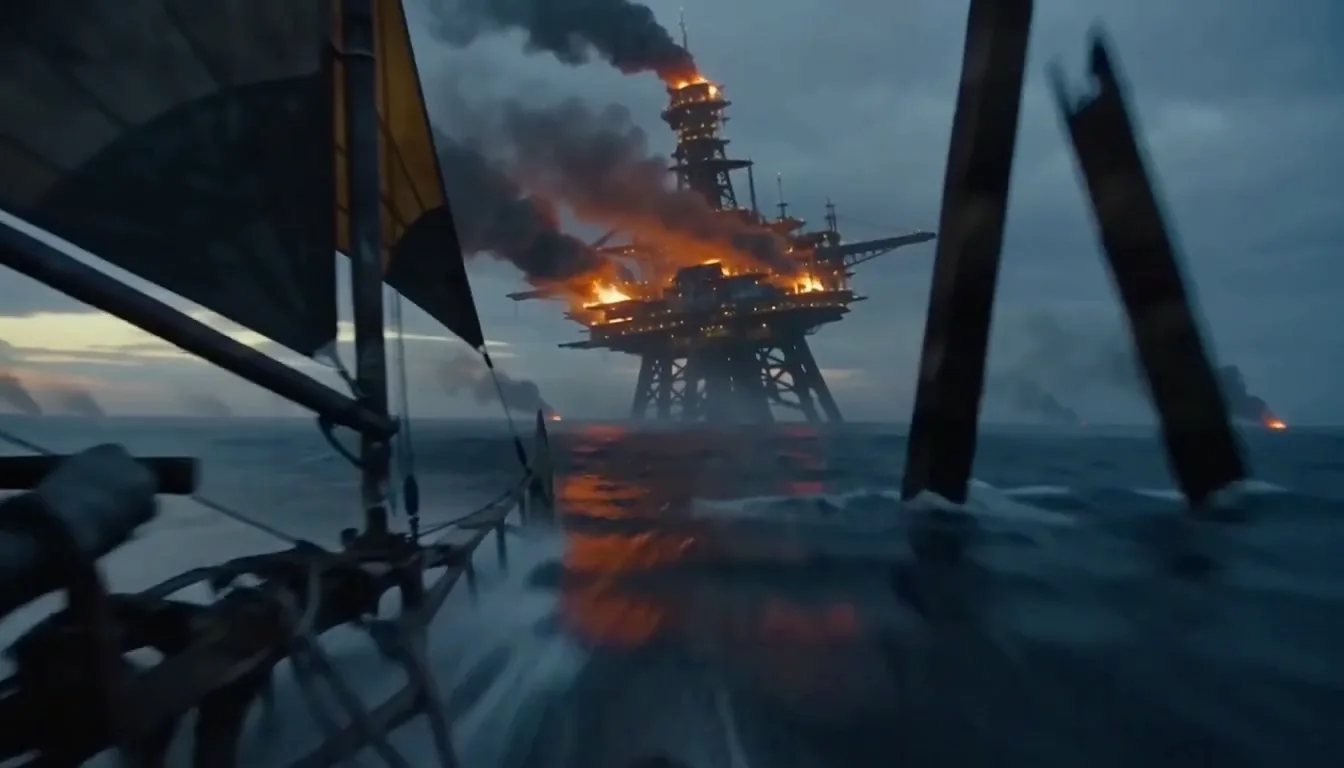
MiniMax H3 Max is not a new MiniMax base model. fal post-trained MiniMax H3's open weights and released it jointly with MiniMax on 26 August 2026.
Text to video is one of its two modes: you write, it renders. No source image, no storyboard, no editing app.
The official API lists it as `MiniMax-H3-Max`. The Artificial Analysis board calls it MiniMax H3 Turbo (768p). Same model, three names.
MiniMax H3 Max
Text to Video
Type a line. MiniMax H3 Max text to video hands back a finished 5-to-15-second clip at 480P or 768P, 24 fps.
The dialogue, sound effects and music are already inside the same MP4.
Six aspect ratios. Any whole second from five to fifteen. Nothing to install, no GPU, no key.
6 real clips · Press Try this to load one
 5s · 16:9 · 768P
A shot brief, beat by beat
Your prompt goes to the model that renders it and nowhere else. We do not train on it and we do not sell it. Anonymous runs are never attached to an account, and anything you make while signed in can be deleted from My Creations in one click.
Made With MiniMax H3 Max — Prompt Included
Every clip here came out of MiniMax H3 Max in one pass.
No upscale, no grade, no second take. Turn the sound on — what you hear was generated with what you see.
Each card hands the generator the full prompt, not a summary. Change one line and run it again.
The full prompt, not a summary
Sound written into this prompt
 00:00:10:0010s · 16:9 · 768PGuangzhou dawn to dusk, cut on the steam…10s
 00:00:10:0010s · 16:9 · 768PTwo reference characters, matched in a tournament bout…10s
 00:00:10:0010s · 9:16 · 768PA watch movement blown apart in macro…10s
 00:00:05:005s · 16:9 · 768POne line to camera, and the room around it…5s
 00:00:15:0015s · 16:9 · 768PA mechanical bee crossing a desk, one take…15s
 00:00:15:0015s · 16:9 · 768POne cafe, morning to closing time…15s
 00:00:15:0015s · 16:9 · 768PHand-drawn spirits loose in a live-action pavilion…15s
 00:00:15:0015s · 16:9 · 768PFour radio lines, each on its beat…15s
 00:00:15:0015s · 16:9 · 768PFive Y2K sets, one idol, no wide shots…15s
 00:00:10:0010s · 16:9 · 768PLoose objects assembling into one machine…10s
 00:00:15:0015s · 16:9 · 768PA technological war, fought by cats…15s
 00:00:10:0010s · 16:9 · 768PFirst person over old London, at speed…10s
 00:00:15:0015s · 16:9 · 768PA peach-mochi cat, pressed until it springs back…15s
Press any card and its prompt drops into the box above, with the ratio and length already set to match. Every prompt on this wall is the one its publisher printed beside the clip — fal for the English ones, metaso's MiniMax H3 case gallery for the rest, translated from Chinese here and otherwise unchanged.
What Is MiniMax H3 Max Text to Video?
Generate AI Videos From Simple Text Prompts
One sentence is enough to get a clip back. It is rarely enough to get your clip back.
Here is one idea written three ways, with what MiniMax H3 Max returned for each.
Run all three and you can see exactly what the model is reading.
Level 1
6 words
A woman walks down a street.
Drifts
The subject changes between frames. The camera picks its own move. You did not say, so it decided.
Level 2
30 words
 00:00:12:0030 words
A woman in a red coat walks down a wet Tokyo alley at night, neon reflected in puddles, slow push-in with small amplitude, rain on metal and distant traffic.
Usable
The camera does what you asked and the rain is actually in the audio. This is the level most good prompts sit at.
- The structure the model actually reads
Level 3
Three fields
00:00:12:00Official fields- integrated_multimodal_description
- [Shot 1] Red coat, wet Tokyo alley, slow push-in, small amplitude.
- overall_soundscape
- Rain on metal, distant traffic, footsteps in standing water.
- non_diegetic_music
- Low synth pad, slow pulse, sitting under the dialogue.
Deliverable
The spoken line sits in front of the music because you put it there. Nothing is left for the model to guess.
Rather not write three fields? The MiniMax H3 Max prompt generator builds all of them from one sentence.
Improve Your Text-to-Video Prompt With AI
You do not have to write those three fields yourself. The model rewrites your sentence into them before it renders.
That step is called prompt expansion, and it has two settings that cost very different amounts of your time.
Balanced
DefaultAbout one second
Cleans up your sentence and fills the obvious gaps. Keeps the whole point of this model, which is that you get the clip back before you have finished re-reading the prompt.
Quality
Up to 30 seconds, before rendering starts
Writes a much richer prompt. On a 5-second clip that rewrite is longer than everything else put together — worth it on a final take, wasteful on the nine drafts before it.
Both figures are the model provider's own, from its published API schema.
Then it shows you the rewrite. Every clip you make here can expand to reveal the prompt the model actually received — the full rewritten text, word for word.
Most sites hand you the video and keep the rewrite. Reading it once teaches more than any guide will.
You see what MiniMax H3 Max filled in for you, and which parts you should have pinned down yourself.
Copy it, edit it, run it again as your own Level 3 prompt.
The rewrite panel under a finished clip, with all three fields expanded
Complete AI Workflow From Script to Video
A single MiniMax H3 Max clip runs 15 seconds at most.
So getting from a script to a finished piece is a pipeline, not a button — and this page does two of its four steps.
- Workflow
Paste the Whole Script
The box takes 7,000 characters, not one line. Press Paste a script above and drop the lot in.
- Workflow
Cut It Into Shots
Number them `[Shot 1]`, `[Shot 2]`, and timestamp the cuts. Pick any whole length from 5 to 15 seconds for each one.
- Workflow
Render Each Shot
Six aspect ratios, every whole second, one shot at a time. Draft at 480P and re-run the keepers at 768P.
- Workflow
Chain Them Together
Take the last frame of one clip and feed it in as the first frame of the next in image to video. That is how a character survives a cut.
What we do not do: timeline editing. Four 12-second clips make 48 seconds, and the joining happens in your CapCut or Premiere. Those already do it better than we would, and we would rather say so than sell you a worse one.
MiniMax H3 Max Text to Video: Six Aspect Ratios
Set `aspect_ratio` and the model composes for that frame from the start.
It does not render 16:9 and crop down, which is why a 9:16 clip puts your subject where a phone expects it rather than in the middle of a letterbox.
- 21:9Cinematic
Title cards, banners, widescreen previz
- 16:9Widescreen
YouTube, landing pages, the default
- 4:3Classic
Retro and archive looks
- 1:1Square
Product cards, marketplaces, email
- 3:4Portrait
Portrait feeds and Pinterest
- 9:16Vertical
TikTok, Reels, Shorts
There is no `adaptive` for text to video. Image to video can read the frame off the picture you upload; text to video has no picture to read. Leave the ratio blank and you get 16:9.
Ratio does not change what you pay. A 9:16 clip and a 21:9 clip of the same length cost the same.
Five to Fifteen Seconds, and What It Costs
Same prompt again, three lengths.
Length and resolution are the only two things that change what a MiniMax H3 Max text to video clip costs. Not the aspect ratio. Not the audio. Not how long your prompt is.
- 5sEnough for one action
- 10sEnough for a beat and a reaction
- 15sThe longest single take
| Length | 480P | 768P | On Pro, at 768P |
|---|---|---|---|
| 5 seconds | 125 credits | 200 credits | about $1.00 |
| 10 seconds | 250 credits | 400 credits | about $2.00 |
| 15 seconds | 375 credits | 600 credits | about $3.00 |
Credits are what you are actually charged. The dollar column is the same number converted at the Pro yearly rate, shown to two decimals on your invoice.
- Draft at 480P, finish at 768P. A 5-second draft is 125 credits; the same shot as a keeper is 200. That is the intended way to work here, not a downgrade.
- Resolution is the only multiplier. Nothing else moves the rate — not the ratio, not the audio, not the length of your prompt.
- A run that fails costs nothing, on every plan including the free one.
Free gets you one anonymous clip on Agnes Video V2.0: 16:9, 5 seconds, silent.
Sign in and three MiniMax H3 Max trial clips follow, at 5 seconds and 480P.
Paid opens the rest — every length up to 15 seconds, both resolutions, no trial badge, and commercial use under the upstream provider's terms. It starts at $9.9 a month.
Nothing is locked behind the top tier. Higher plans give you more credits and let you run more at once. They do not unlock features.
Same monthly credits either way
- Free
No card, no timer. One clip right now with no account, then three MiniMax H3 Max clips when you sign up.
$0No card, ever
Generate my first clipNo account for the first one
1 clip now, 3 on sign-up · 4 clips total
5s · 480P · with sound after sign-up
Granted on day 0, day 2 and day 7
- Native audio on the three signed-in clips
- No watermark
- Six aspect ratios
- First and last frame
- Saved history
- Commercial use — paid plans only
What's free here and elsewhere → the full breakdown
- Lite
1–6 finished clips a month
$9.90/moBilled yearly, $118.80 today
7-day refund while credits are untouched
1,200 credits a month · 12 clips first try
5s · 768P · 100 credits each
4 at three takes
Same credits yearly or monthly
- Both engines — MiniMax H3 Max and MiniMax H3
- Up to 15 seconds, up to 2K on MiniMax H315s
- No watermark
- Commercial use — permitted under the upstream provider's terms
- Prompt library and prompt help
- One clip at a time, standard queue
- 30-day history · email support
Most expensive per clip here: 83¢ a generation, $2.48 a finished clip. From 7 clips a month, Pro costs less.
- Most popularPro
7–21 finished clips a month
$19.90/moBilled yearly, $238.80 today
7-day refund while credits are untouched
3,000 credits a month · 30 clips first try
5s · 768P · about 66¢ a generation
10 at three takes
Same credits yearly or monthly
- Everything in Lite, plus:
- 4 takes per prompt, one click
- 3 jobs running at once
- Priority queue
- Unlimited history, searchable
- Seed lock + one-word re-roll
- Saved presets and brand kit
- 20% less per credit than Lite
- Priority email support
Past 21 clips a month, Studio costs less.
- Studio
22+ finished clips a month
$59.90/moBilled yearly, $718.80 today
7-day refund while credits are untouched
11,000 credits a month · 110 clips first try
5s · 768P · 54¢ a generation, the lowest here
37 at three takes
Unused credits roll over one month
- Everything in Pro, plus:
- 8 takes per prompt · 8 jobs at once
- Front of the queue
- Credits roll over one month
- 3 seats, one library, one bill
- Project folders · bulk ZIP
- 4-hour support, business days
- New engines first
- Invoices, VAT ID, purchase orders
- API access — private beta waitlist
Under 22 clips? Pro plus a pack is cheaper. We'd rather say so.
Dialogue and Sound in the Same Prompt
Your characters can speak. MiniMax H3 Max generates the audio in the same pass as the picture, at no extra charge.
32 kHz stereo, inherited from the base model. There is no on switch and no separate line on the bill.
How one spoken line is put together
Same pass · no surcharge
 00:00:10:00Two speakers · 768P · 10s
The rule most people miss
Keep the descriptive half of your prompt in English, but write each spoken line in its own language.
(S2) replies firmly, [Japanese] 分かった。Right(S2) replies firmly, [Japanese] Understood.Wrong
Writing a Japanese line out in English is the single most common reason a delivery comes back wrong.
Need the same face across several clips? Anchor it with a still in image to video.
MiniMax H3 Max Text to Video Settings
Every value below is read off the published MiniMax H3 Max API schema, checked 3 Sep 2026.
Where other sites disagree with this table — and several do — the fourth column says which source we followed and why.
- Duration
- 5–15 seconds, whole numbersFive is the floor. Four is rejected.
- Frame rate
- 24 fps
- Resolution
- 480P or 768P768P at 16:9 is 1344×768.
- 02Aspect ratio
- 21:9 · 16:9 · 4:3 · 1:1 · 3:4 · 9:16Defaults to 16:9.
- Prompt limit
- 7,000 charactersPicture and sound share the field.
- 01Prompt expansion
- Balanced or QualityRequired. Balanced is the default.
- Seed
- SupportedOmit it and one is picked for you.
- 03Safety check
- On
- Output
- One MP4, H.264 + AAC, audio already muxed
Source: Official · MiniMax API reference
Four things that trip people up
- 01
Quality expansion eats the whole speed advantage
Balanced rewrites your prompt in about a second. Quality spends up to thirty before rendering even starts.
On a model whose entire point is that it comes back fast, that is the difference between a draft loop and a coffee break. Leave it on Balanced and switch only for a final take. - 02
There is no adaptive ratio here
Image to video reads the frame off the picture you upload. Text to video has nothing to read it from, so it falls back to 16:9. Pick the ratio deliberately — it is free to change and it changes the whole composition.
- 03
The safety check is on, and some ordinary shots get caught
Real people by name, graphic injury and some brand marks come back rejected. A rejected run does not cost you credits. If a normal creative shot gets caught, rewording the subject usually clears it — see what we allow.
- 04
The specs you find elsewhere disagree with each other
We checked. Third-party wrappers and resale docs are quoting their own defaults as if they were the model's.
The model's own schema Seen on third-party docs Shortest clip 5 seconds 3 seconds Aspect ratios 6 options 7, including one that does not exist Default resolution 768P 480p Default length 5 seconds 8 seconds Defaults are a wrapper's choice, not a model property — ours are 480P and 5 seconds, because drafts should be cheap. The first two rows are simply wrong, and a request built on them comes back as an error.
What text to video cannot do
No resolution above 768P
That ceiling comes from the open weights, not from us
No clips under 5 seconds
Four is rejected by the model
No reference images
Not on this endpoint yet — anchor with a first frame instead
No mid-frame control
First and last frames work; the middle does not
No negative prompt
Say what you do want, more precisely
No timeline editing
Fifteen seconds per run — join them in your editor
How to Use MiniMax H3 Max Text to Video
Three steps, none of which need an editing app. The sound arrives inside the same file as the picture.
Write the picture, then the sound
One field takes both. Describe what the camera sees, then what it hears — dialogue, effects, score, in that order.
Up to 7,000 charactersSet the ratio, the length and the size
Six ratios, any whole second from 5 to 15, and 480P or 768P. The button shows what the run costs before you press it.
24 fps · 5–15 secondsDownload the MP4
One file with the sound already in it. A run that fails costs no credits, on every plan including free.
No watermark, on any plan
That is the whole browser path: nothing to install, no GPU, no API key.
More Prompts, Guides and Comparisons
Everything below carries its full prompt or its full working, the same way this page does.
 Alternatives
Best AI video generator with sound: which ones charge you extra for it
Nearly every serious video model generates audio now. What still separates them is whether sound costs extra and how many takes your budget buys. Eight, priced.
 Editorial desk
 Prompt craft
Six ad variants by Friday: how I write MiniMax H3 Max prompts now
The MiniMax H3 prompt guides are for a model H3 Max does not include. The five-part brief I use instead, six controlled variants, and the frame grid.
Editorial desk Alternatives
Kling or MiniMax H3 Max: the queue is the part nobody prices
Kling reaches native 4K and multi-shot storyboards. It also costs three to ten times more per second, and the waiting is a real line item.
Editorial desk
MiniMax H3 Max Text to Video FAQ
Do I have to pick an aspect ratio for text to video?
You do not have to, but you should. There is no adaptive option here — image to video can read the frame off your uploaded picture, and text to video has nothing to read it from. Leave it blank and MiniMax H3 Max text to video returns 16:9. Changing the ratio is free and it does not change what the clip costs.
Which aspect ratio should I use for TikTok, YouTube or a widescreen edit?
Use 9:16 for TikTok, Reels and Shorts. Use 16:9 for YouTube and for anything embedded on a page. Use 21:9 when you want a cinematic title card, but keep faces away from the top and bottom edges because that shape crops them off. Use 1:1 for product cards and marketplace listings, and 3:4 for portrait feeds. All six cost the same per second.
How do I write dialogue and sound effects into one text prompt?
Put them in the same field as the picture, after the camera move. Tag each speaker as (S1) or (S2), give the delivery, mark the language in square brackets, then write the line — for example: (S1) speaks softly, [English] Follow the wind, live free. Write each spoken line in its own language rather than in English; that single mistake is the most common reason a delivery comes back wrong. Ambient sound and music go in the same way, described in time order.
Can I make something longer than 15 seconds from one script?
Not in one run. Fifteen seconds is the hard ceiling for a single MiniMax H3 Max clip. The way around it is to cut the script into shots and render each one separately. Then take the last frame of one clip and use it as the first frame of the next, in image to video. Joining the finished clips happens in your own editor — we do not do timeline editing.
What is prompt expansion, and should I turn on Quality?
It rewrites your sentence into the three fields the model reads. Balanced takes about a second; Quality spends up to thirty before rendering starts. Keep Balanced for drafts and switch only for a final take. Full walkthrough in the prompt generator.
How long can one clip be, and what resolution do I get?
Any whole number of seconds from 5 to 15, at 480P or 768P, always 24 fps. Every number, checked against the source: full specs.
Can it output 1080p or higher?
No. 768P is the ceiling, and the reason is in the section above — the open weights this model was trained on stop there. If you need more, the base model has a stage that does it. Side by side.
How fast is it, really?
On this site, half of all 5-second 768P clips are ready inside 8.7 seconds and 95% inside 20.9, across 412 runs. fal publishes under three seconds for the same shape on its own infrastructure — that is the model's inference timer, ours is the request leaving our server to the file being ready to play, and the gap between them is queue and file handling. We publish our own because the route matters as much as the model. Both are in the spec breakdown.
What happens to my prompt and my clips?
Your prompt goes to the model that renders it and nowhere else. We do not train on it and we do not sell it. Anonymous runs are never attached to an account. Signed-in clips sit in My Creations until you delete them, and deleting one removes the file as well as the row.
Do I need an account to try text to video?
Not for the first clip. One run on Agnes Video V2.0 — 16:9, 5 seconds, silent — with no card and no account. After that, signing in free gets you three MiniMax H3 Max clips with sound. What free covers.
Write One Line. See It Move.
One clip with no card and no account. After that, sign in free and your first three MiniMax H3 Max text to video clips are on us — with the sound in them.
Generate free · queue1 FREE CLIP · SILENT1 FREE CLIP · Agnes Video V2.0 · 16:9 · 5s · SILENT
Written and maintained by the MiniMax H3 Max AI Video Generator editorial teamPublished Last updated