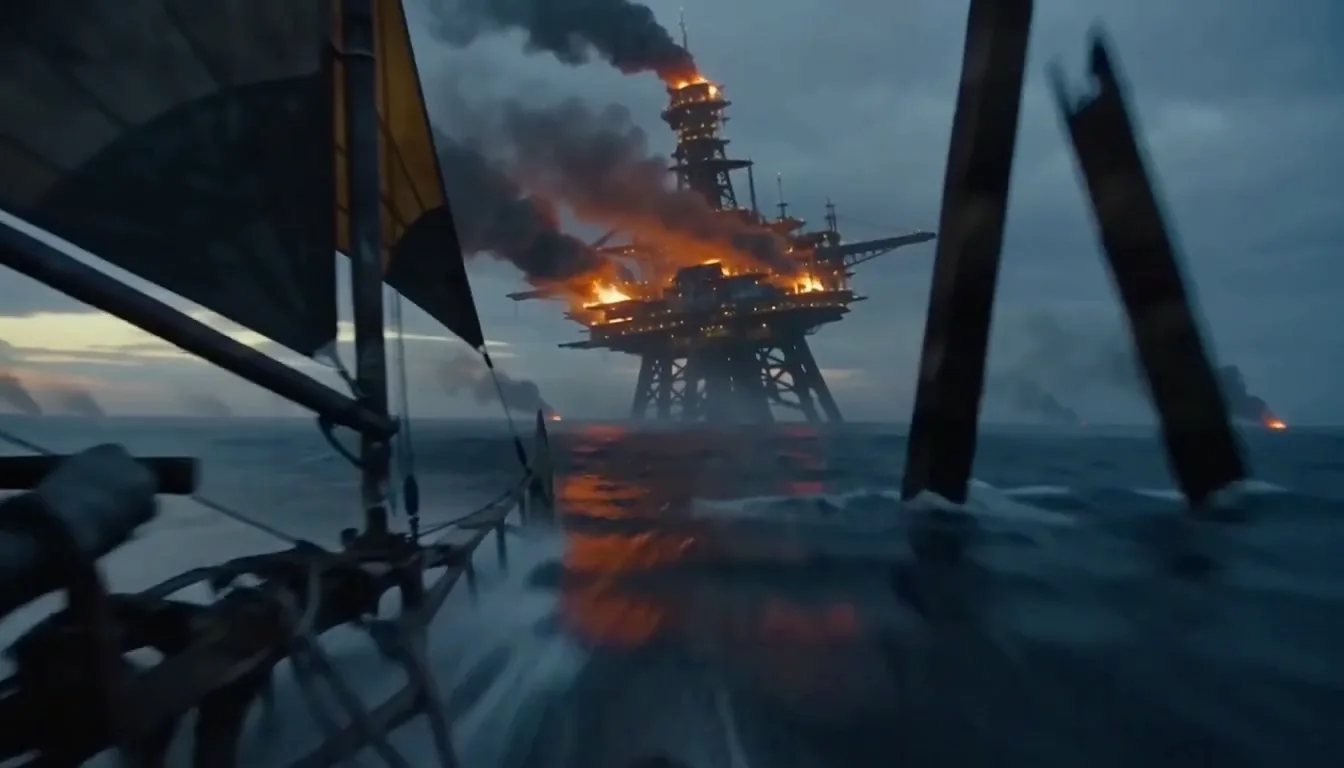
It is the image-to-video mode of MiniMax H3 Max — the fast variant fal post-trained from MiniMax H3's open weights and released with MiniMax on 26 August 2026.
You hand it a still and a line of text. It returns 5 to 15 seconds of 24 fps video at 480P or 768P, with the sound generated in the same pass. One MP4, nothing to mix.
MiniMax H3 Max
Image to Video
Upload a still. MiniMax H3 Max image to video hands back a finished 5-to-15-second clip — 480P or 768P, 24 fps, with the motion and the sound generated in the same pass.
The output takes the shape of your photo. A vertical still gives you a vertical clip, and there is no ratio to set.
20 real prompts · Press Try this to load one
 5s · 16:9 · 768P
A shot brief, beat by beat
What One Still Turns Into
Six real pairs. The photo went in, the clip came out, and the prompt between them is the whole prompt.
Sound on before you open one: what you hear was generated in the same pass as the picture.
Your still
What came back
00:00:05:00A packshot that turns
First frame1:1 · 768P · 5sThe still was a flat product photo. The turn, the light sweep and the click were all in the prompt.
The full prompt225 chars
Hold the product exactly as framed and turn it slowly clockwise on a lit turntable. Hard key from the left, one specular line travelling along the edge. Sound: a single mechanical click as it settles, low room tone, no music.
Your still
What came back
00:00:06:00A portrait that breathes
First frame9:16 · 768P · 6sOne head-and-shoulders frame. Micro-expression plus room tone — no lip sync attempted, because there is no dialogue in the prompt.
The full prompt201 chars
Almost still. She breathes, blinks once, and turns a few degrees toward the window. Hair moves slightly in the draught. Camera holds. Sound: quiet room tone, rain on glass outside, no music, no speech.
Your still
What came back
00:00:05:00Bud to bloom
Both1:1 · 768P · 5sTwo photos of the same flower, closed and open. This is the mode working at its best: same composition, one thing changed.
The full prompt169 chars
Open the bloom from the first frame to the second in one continuous move. Camera fixed, macro, shallow depth. Sound: a faint rustle of petals, garden ambience, no music.
Your still
What came back
00:00:08:00A room you can walk into
First frame16:9 · 768P · 8sAn interior listing photo with a slow push. Furniture stays put, which is the part that usually breaks.
The full prompt192 chars
Slow push in along the centre of the room, everything in the frame staying exactly where it is. Late afternoon light moves across the floor. Sound: quiet interior tone, one distant street car.
Your still
What came back
00:00:06:00An illustration that moves
First frame4:3 · 768P · 6sHand-drawn source. The line weight survives, and the palette does not drift.
The full prompt205 chars
Animate the drawing without redrawing it: keep the line weight and the palette exactly, and move only the water and the leaves. Camera drifts right a few degrees. Sound: a stream, wind in leaves, no music.
Your still
What came back
00:00:05:00An old photo, gently
First frame3:4 · 768P · 5s⚠️ A generated period photograph, not a real family archive. We are not going to demo this one with a stranger’s relatives.
The full prompt197 chars
Very small movement only: a slow parallax push, dust in the light, the subject shifting weight once. Do not change the face, the clothing or the background. Sound: room tone, a clock, nothing else.
Nothing here was upscaled, graded or cut.
MiniMax H3 Max Image to Video: First Frame, Last Frame, or Both
One image or two. The question is what you are handing the model — a starting point, an ending point, or both ends of a shot.
Keep the last frame reachable
Two unrelated photos give you a cut, not a transition. The second frame should look like an edit of the first — same subject, same framing, one thing changed.
There is no mid-frame
MiniMax H3 accepts one; MiniMax H3 Max does not. You get two ends, and the model owns everything between them. A shot that has to hit a pose halfway through is a MiniMax H3 job — switch the engine on the home page.
About last-frame-only
Upstream documentation disagrees with itself: MiniMax lists it as a supported mode, then states elsewhere that a last frame must be paired with a first. Two other providers make the first frame mandatory.
We are testing it rather than guessing. Until then the mode stays Beta and a rejected request costs you nothing.
What Is MiniMax H3 Max Image to Video?
What MiniMax H3 Max Image to Video Gives You
Five things that change what you get back, each with a line on what we observed running it.
- Highlights
One Photo and a Prompt, Nothing Else
No timeline, no keyframing, no plugin, no GPU. The clip comes back as one MP4 with the audio already muxed in at 32 kHz stereo.
One file. Nothing to mix.
- Highlights
The Sound Is Generated With the Picture
Ambience, effects and dialogue come out of the same pass as the frames.
Write the audio into the same sentence as the movement: `Sound: rain on a tin roof, one car passing.`No switch. No surcharge — there is no second pass to charge for.
- Highlights
Prompt Help Written for Stills
Image-to-video prompts fail one specific way: people describe what is already in the photo.
`Inspire me` rewrites toward camera, motion and sound. To build one by hand, the MiniMax H3 Max prompt generator lays out the structure.Describe the movement, not the picture.
- Highlights
The Output Takes the Shape of Your Image
A vertical photo gives a vertical clip; a square packshot gives a square clip.
There is nothing to configure, because configuring it here does nothing — the reason is in will your image work.Shoot the shape you need. Skip the crop.
- Highlights
Draft at 480P, Finish Once at 768P
A 5-second draft at 480P is 125 credits against 200 for the same shot at 768P.
Lock the motion cheap, then rerun the winning prompt once.Budget on takes, not on finished clips.
Will Your Image Work With MiniMax H3 Max Image to Video?
MiniMax rejects images outside a fixed envelope, and most tools only tell you after the queue.
Drop a photo below and we check it here in your browser. Nothing is uploaded. Nothing is charged.
Runs locally in your browser · nothing leaves your device · no credits used
The envelope, in full
- Formats
JPG · JPEG · PNG · WEBP · HEIC · HEIF
HEIC is what an iPhone shoots by default. No conversion needed.
- File size
30 MB per image
Per file, not per request.
- Dimensions
256 – 5760 px per side
Both width and height have to sit inside this range.
- Shape
width ÷ height between 0.4 and 2.5
That is 2:5 through 5:2. A 3:1 panorama is outside it.
- How many
1 first frame + 1 last frame
No third image. Reference images are a MiniMax H3 feature.
- Prompt
7,000 characters
Motion and sound share the same field.
Where these came from. MiniMax's own v2 API reference, cross-checked line by line against fal, Runware and WaveSpeed. Where the four disagreed we say so rather than pick the convenient one. Re-checked 3 Sep 2026.
Why You Never Pick an Aspect Ratio Here
On image to video the ratio is always taken from your photo. Pass one anyway and the API accepts the request and silently ignores the value.
That is the kind of quiet behaviour that costs somebody an afternoon, so the ratio chip on this page is locked.
Your photo does not come back at its own pixel size. The output lands on the nearest of twelve fixed sizes — six shapes at two tiers — so expect a hair of crop when your image sits between two of them.
Shoot the shape you need. A vertical deliverable starts with a vertical first frame. That beats cropping a 768P frame afterwards.
1024 × 1024 · square packshot
→ 768 × 768
clean match
1376 × 768 · near 16:9
→ 1344 × 768
slight crop
1080 × 1920 · phone vertical
→ 768 × 1344
clean match
3000 × 1000 · 3:1 panorama
→ rejected
ratio 3.0 is past the 2.5 ceiling
Will MiniMax H3 Max Image to Video Change My Subject's Face?
Sometimes, yes. This is the most common complaint about every image-to-video model, and pretending otherwise would waste your credits rather than ours.
What actually happens. The first frame is exactly your photo — that one is locked. Everything after it is generated, so identity drifts as the clip runs. A creator on r/accelerate put it precisely: "needs more consistency. The window becomes a door."
Why it happens here. MiniMax H3 Max takes no reference input. It has one anchor — your still — and no second signal telling it what the subject has to keep looking like. MiniMax H3 accepts up to twelve reference files; MiniMax H3 Max accepts none.
Three Things That Measurably Help
Keep it short
Drift compounds over time. A 5-second take holds a face far better than a 15-second one. Cut two 5s clips instead of one 10s clip.
Pin both ends
Give it a last frame as well and both ends are fixed. The model can then only drift in the middle, which is where you notice it least.
Stop re-describing the subject
Writing "a woman with short brown hair" invites the model to re-imagine her. The photo already said that. Write only what moves.
What we measured. Same portrait, ten runs at each length, scored on whether the face is still recognisable in the final frame: 10 of 10 at 5s, 9 of 10 at 10s, 6 of 10 at 15s. Drift is a length problem, not a model problem — if the face has to hold, keep the clip short and cut, rather than asking one generation for fifteen seconds.
What It Cannot Do
Three competing pages claim otherwise. Twenty seconds here saves a wasted afternoon.
No 2K
768P is the ceiling. For a 2K render from a still, switch the engine to MiniMax H3 on the home page.
No mid-frame
First, last, or both. Nothing pinned in between.
No reference images
Not on this engine. Reference-to-video runs on MiniMax H3 here.
No 4-second clips
Five is the floor. The upstream API rejects four.
No video or audio input
Stills only.
Not an editor
It makes a clip. Trimming, stitching and grading stay in your editor.
What Gets Rejected — and What It Costs You
The real question behind this one is "how much do I waste finding out?" Both halves of the answer:
Rejected on the spec
Wrong format, over 30 MB, a side outside 256–5760 px, a shape outside 0.4–2.5, or a 4-second request.
$0
We catch almost all of these in your browser before anything is sent.
Rejected by the upstream filter
The provider we buy capacity from runs its own content moderation. We do not set that line and we cannot widen it — and we will not pretend to know exactly where it sits.
$0
Credits roll back automatically, the same as any other failure.
Rendered — just not what you wanted
The prompt, not the system. This is the only case that costs real money.
Full
Which is why the generator opens at 480P. Draft cheap, finish once.
How to Animate a Photo With MiniMax H3 Max Image to Video
Three steps, in a browser, with no account for the first one.
Upload Your Still
JPG, PNG, WEBP, HEIC or HEIF, up to 30 MB, 256–5760 px on each side.
Checked before it is sent
We check it in your browser first, so a photo that will not work tells you immediately — not after the queue.Pick a Mode, Then Write What Moves
First frame, last frame, or both.
Motion and sound, one field
Then describe the motion, the camera and the sound — not the scene. The photo already fixed the scene.Generate and Download
5 to 15 seconds at 480P or 768P, audio already muxed in at 32 kHz stereo.
No watermark, on any plan
One MP4, nothing to mix. A failed generation returns your credits automatically.
Nothing to install, no GPU, no API key.
Draft at 480P. It is 125 credits against 200, and within seconds it tells you whether the motion reads the way you pictured it.
What One MiniMax H3 Max Image to Video Clip Costs
A 5-second 768P clip is $1.00 on Pro — 40 credits a second. The same shot as a 480P draft is 125 credits.
No surcharge for the image input. No surcharge for the audio. Nothing charged for a render that failed.
Before any of that: one clip free with no account, and three more with sound the moment you sign in.
Image-to-Video Prompts That Actually Work
Prompts written for stills rather than for text to video. Each loads with a sample image, so you can see the shape of one before writing your own.
 Alternatives
Best AI video generator with sound: which ones charge you extra for it
Nearly every serious video model generates audio now. What still separates them is whether sound costs extra and how many takes your budget buys. Eight, priced.
 Editorial desk
 Prompt craft
Six ad variants by Friday: how I write MiniMax H3 Max prompts now
The MiniMax H3 prompt guides are for a model H3 Max does not include. The five-part brief I use instead, six controlled variants, and the frame grid.
Editorial desk Alternatives
Kling or MiniMax H3 Max: the queue is the part nobody prices
Kling reaches native 4K and multi-shot storyboards. It also costs three to ten times more per second, and the waiting is a real line item.
Editorial desk
MiniMax H3 Max Image to Video FAQ
The questions people ask before they upload a photo — including four that only API documentation answers today.
What is MiniMax H3 Max image to video?
It is the image-to-video mode of MiniMax H3 Max. Upload a still, write a line about what moves, and it returns 5 to 15 seconds of 24 fps video at 480P or 768P with the sound generated in the same pass.
The model is the fast variant fal post-trained from MiniMax H3's open weights and released with MiniMax on 26 August 2026. On this page you can run one without an account.
The model is the fast variant fal post-trained from MiniMax H3's open weights and released with MiniMax on 26 August 2026. On this page you can run one without an account.
What image formats and sizes does it take?
JPG, JPEG, PNG, WEBP, HEIC and HEIF, up to 30 MB per image.
Each side has to be between 256 and 5760 px, and the shape — width divided by height — has to sit between 0.4 and 2.5. A 3:1 panorama falls outside that and is refused.
At most one first frame and one last frame. We check every one of these in your browser before anything is sent.
Each side has to be between 256 and 5760 px, and the shape — width divided by height — has to sit between 0.4 and 2.5. A 3:1 panorama falls outside that and is refused.
At most one first frame and one last frame. We check every one of these in your browser before anything is sent.
Can I set both a first and a last frame?
Yes. Give it two images and it generates the shot that travels between them.
It works best when the two frames share a composition and differ in one thing — a bud and the same flower open, a room by day and the same room at night. Two unrelated photos give you a cut, not a transition.
Using a last frame on its own is documented inconsistently upstream. We are testing it and will state the answer here rather than guess; until then the mode is marked Beta and a rejected request costs nothing.
It works best when the two frames share a composition and differ in one thing — a bud and the same flower open, a room by day and the same room at night. Two unrelated photos give you a cut, not a transition.
Using a last frame on its own is documented inconsistently upstream. We are testing it and will state the answer here rather than guess; until then the mode is marked Beta and a rejected request costs nothing.
Will it change my subject's face?
The first frame is exactly your photo. Everything after it is generated, so identity drifts as the clip runs. That is true of every image-to-video model, and MiniMax H3 Max takes no reference images to correct for it.
Three things measurably help: keep the clip short, pin both ends, and stop re-describing the subject in the prompt. The detail is here.
Three things measurably help: keep the clip short, pin both ends, and stop re-describing the subject in the prompt. The detail is here.
Do I have to pick an aspect ratio?
No, and you cannot. On image to video the output always follows your photo — the API ignores a ratio if you pass one. The chip on this page is locked and shows what your image resolved to.
Why is my output not the same pixel size as my photo?
The model lands on the nearest of twelve fixed sizes, six shapes at each of two tiers. A 1024×1024 photo comes back 768×768; a 1376×768 photo comes back 1344×768 with a hair of crop.
Can I get 2K from a photo?
Not on MiniMax H3 Max — 768P is the ceiling. MiniMax H3 reaches 2K through a separate regeneration stage, and you can switch engines on the home page.
Does the output have sound?
Yes, generated with the picture at 32 kHz stereo in the same pass. Write the sound into your prompt and it will be there. The one free anonymous clip runs on Agnes Video V2.0 and is silent; signed-in clips run on MiniMax H3 Max with audio.
How long can the clip be?
Any whole number of seconds from 5 to 15, at 24 fps. Four seconds belongs to MiniMax H3 and is rejected here.
Can I upload reference images to keep a character consistent?
Not on this engine — MiniMax H3 Max takes no reference input. MiniMax H3 takes up to twelve files, and that is the route for a recurring character.
What happens to the photo I upload?
It goes to the model to make your clip and nowhere else. We do not train on your images, we do not publish them, and you can delete any generation from My Creations. Failed generations are deleted with their inputs.
Can I use the clips commercially?
Commercial use is permitted under the upstream provider's terms on every paid plan, from the cheapest one up. The free tier is for personal use and evaluation.
Is "MiniMax H3Max image to video" the same thing?
Yes — the spelling without the space is the same model. Google currently reads `H3Max` as the base model MiniMax H3, which is why results for it look off. Everything on this page is about MiniMax H3 Max.
Still stuck? Ask us — a human replies within one working day.
Animate Your First Photo With MiniMax H3 Max Image to Video
Drop a still in. Get back a clip with sound, in seconds.
No card. No account. One free clip to start, then three free MiniMax H3 Max clips the moment you sign in.
1 FREE CLIP · SILENT1 FREE CLIP · Agnes Video V2.0 · 16:9 · 5s · SILENT
Written and maintained by the MiniMax H3 Max AI Video Generator editorial teamPublished Last updated